
SudoShield Web OS
Home»SudoShield Web OS
Productivity
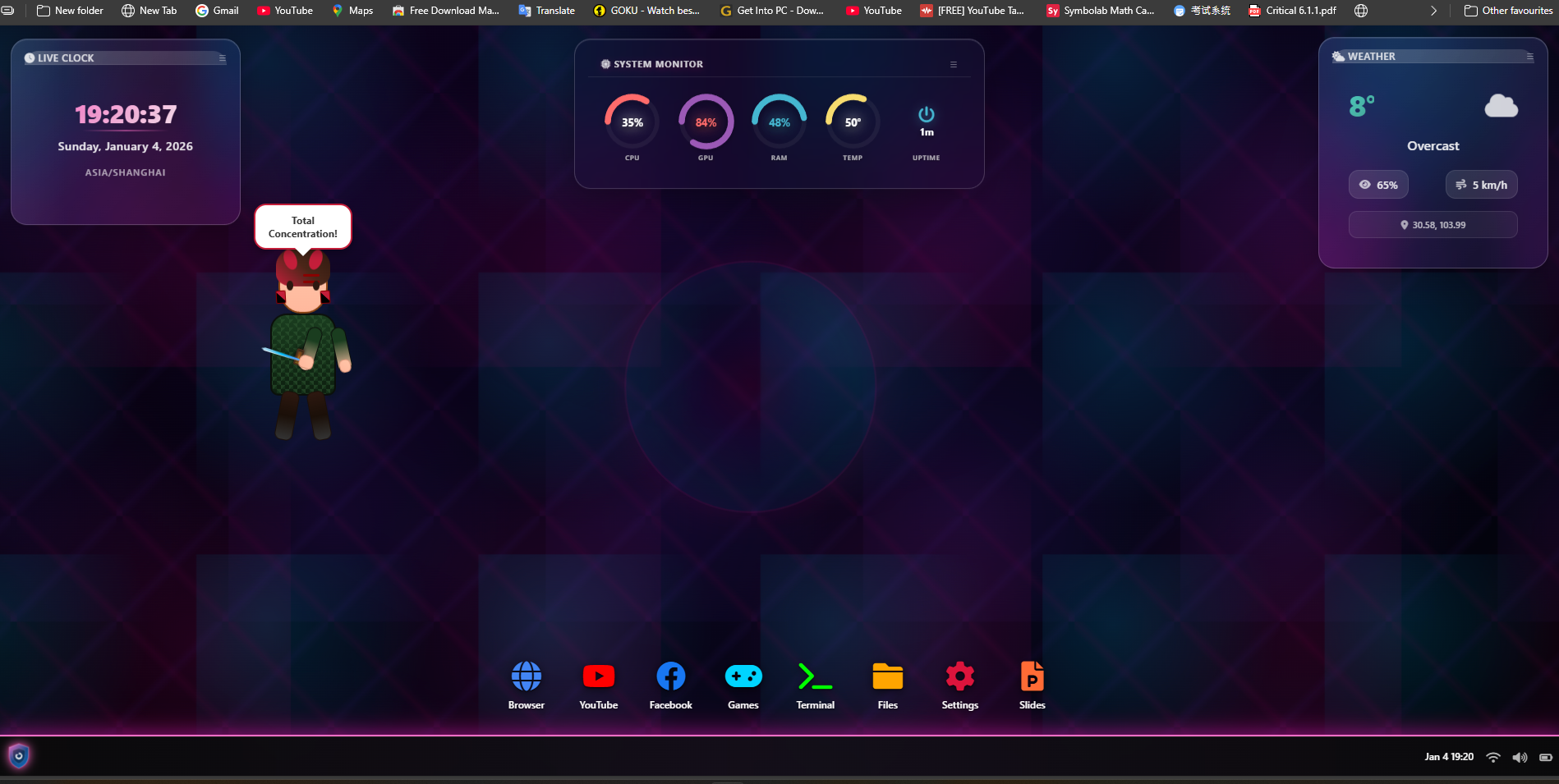
A full desktop-style operating system that runs entirely inside the browser, with an AI assistant built into the terminal.
The problem
Building a browser-based tool or portfolio piece that needs a full desktop-style interface usually means either standing up backend infrastructure to support it or settling for a much simpler single-page interface — neither of which is ideal for a lightweight, shareable demo or product.
How it works
The whole environment runs client-side in the browser — draggable, resizable windows, a virtual file system, and a set of built-in applications (a terminal, a browser, a file manager, and others) that behave like a real desktop rather than a single web page.
An AI assistant is built into the terminal and reachable through chat, connected via an automation layer that can be pointed at different underlying AI models depending on what a given deployment needs.
Because it has no backend dependency, it’s lightweight to host and doesn’t carry the security surface of a server-side application — the trade-off is that it’s a self-contained environment rather than a system with persistent server-side storage.
It’s built to be extended and rebranded rather than used as-is — the source, setup, and integration work are handed over so it can be adapted into a specific product or portfolio piece.
Key capabilities
- Full desktop environment (windows, file system, built-in apps) running entirely client-side
- No backend server required — lightweight to host
- AI assistant built into the terminal, connected via a configurable automation layer
- Draggable, resizable, multitasking-style window management
- Delivered with source code and setup support for rebranding or extension
Built on
- A fully client-side desktop environment (no backend required)
- A virtual file system implemented in-browser
- n8n for the connected AI automation layer
- Configurable LLM integration (multiple providers supported)
Best for: Developers, agencies, and portfolio projects wanting a browser-based desktop environment as a foundation to extend or showcase.